Git Tutorial
"This is git tutorial designed for beginners and intermediate learners to master git concepts."
By Shivam
01/07/2025
A Seamless Guide To Master Git
This chapter will be about getting started with Git. We will begin by explaining some background on version control tools, then move on to how to get Git running on your system and finally how to get it set up to start working with. At the end of this chapter you should understand why Git is around, why you should use it and you should be all set up to do so.
What is "version control" and why should you care?
VCS stands for Version Control System. It is a tool that helps manage and track changes to source code or other files over time. VCS is essential for software development and other projects where maintaining a history of changes, collaboration, and versioning is critical
Why do we need VCS(Version Control System)?
- Tracking Changes It records changes to files over time, enabling developers to see who changed what and when.
- Collaboration Multiple people can work on the same project simultaneously without overwriting each other's work.
- Version History It keeps a history of all changes, making it easy to revert to previous versions if needed.
- Backup and Recovery Acts as a backup for the project.
A Short History of Git
Git, a powerful version control system, was created by Linus Torvalds in 2005 to manage the development of the Linux kernel. Before Git, Linux developers used a proprietary system called BitKeeper for version control. However, conflicts arose between the BitKeeper team and the Linux community, leading Torvalds to develop an open-source alternative.
The goal was to create a tool that was:
- Fast
- Distributed, allowing developers to work offline
- Reliable, with strong support for non-linear development
Today, it's the most popular version control system, powering platforms like GitHub, GitLab, and Bitbucket, transforming how teams collaborate on code.
What is Git?
Git is a version control system VCS designed to track changes in source code and collaborate efficiently with others. It is widely used for software development due to its speed, flexibility, and support for non-linear workflows (e.g., branching and merging).
Install
You can donwload it from here install git
Check git version
git --versionBefore we dive into the coding part of Git let u know some basic command of Linux
Basic Linux Commands
- To make a new folder or directory
mkdir <directory-name>- Remove a directory
rmdir <directory-name>- List file and directories
ls- With details: ls -l
- Including hidden files: ls -a
- Create a new file
touch <file-name>- Change directory
cd <directory>- Go to the previous directory: cd - or cd ..
- Go to the home directory: cd ~
- Present working directory
pwd- View file contents
cat <file-name>Git Command (CheatSheet)
Most Used
95% of the time you will find yourself writing only these commands of git.
- Initialize a new Git repository
git init- Show the status of the working directory
git status- Stage all changes in the current directory
git add .- Commit staged changes with a message
git commit -m "message" - Push commits to a remote repository
git push- View commit history
git log - for oneline
git log --onelineAdvanced Git
Some Advanced concpets of Git
1. What is .git/ Directory?
The .git directory is a hidden folder created when you initialize a Git repository using the git init command. It is the core of your Git project and contains all the necessary metadata and history for the repository
if you go into the .git (hidden folder) by running the following command
cd .git
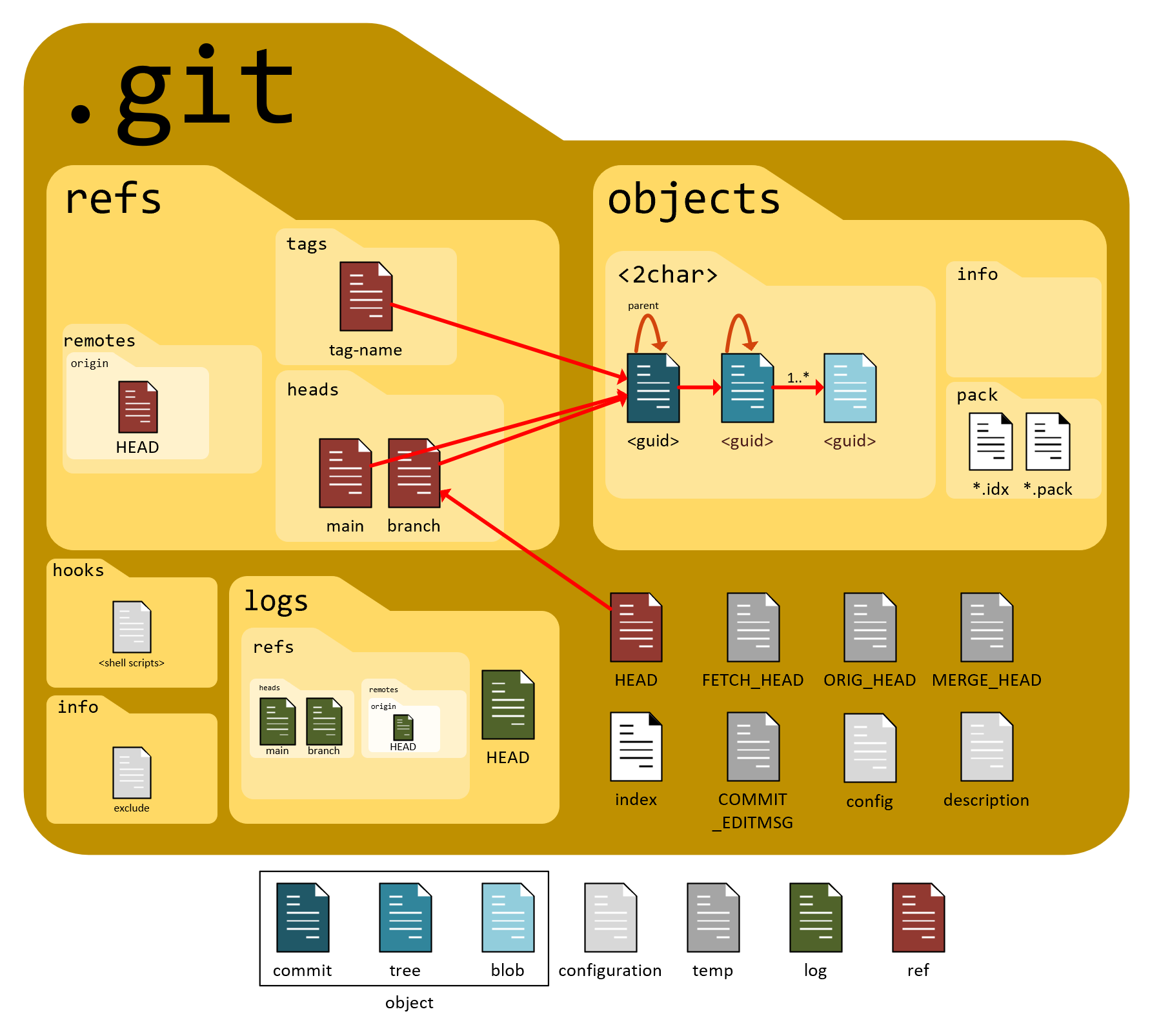
- config is a text file that contains your git configuration for the current repo.
- HEAD contains the current head of the repo.
- hooks contain any scripts that can be run before/after git does anything.
- objects contains the git objects, ie the data about the files, commits etc in your repo. We will go in depth into this in this blog.
- refs as we previously mentioned, stores references(pointers)
If you want to read file in .git folder you can use cat
git cat
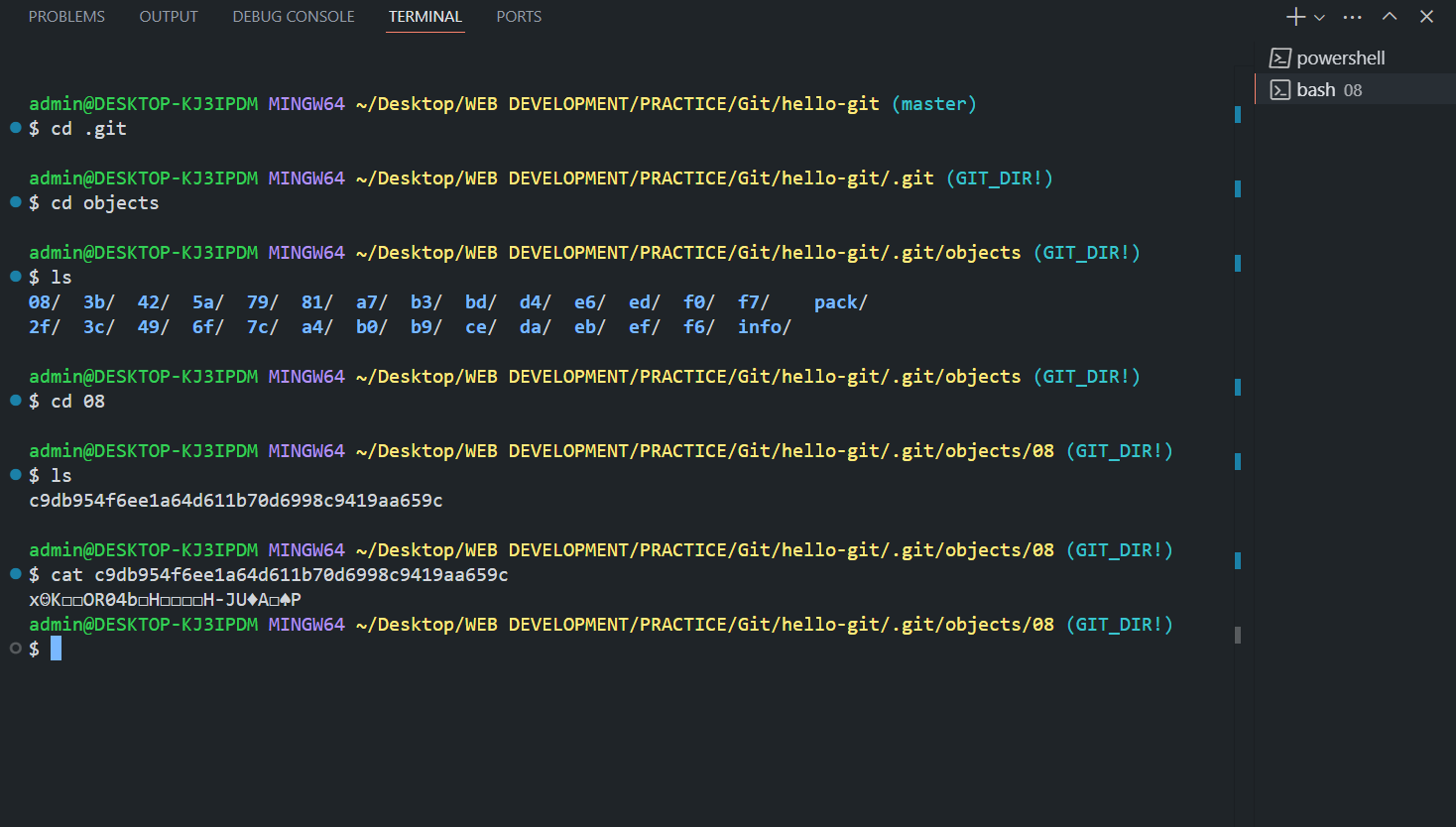
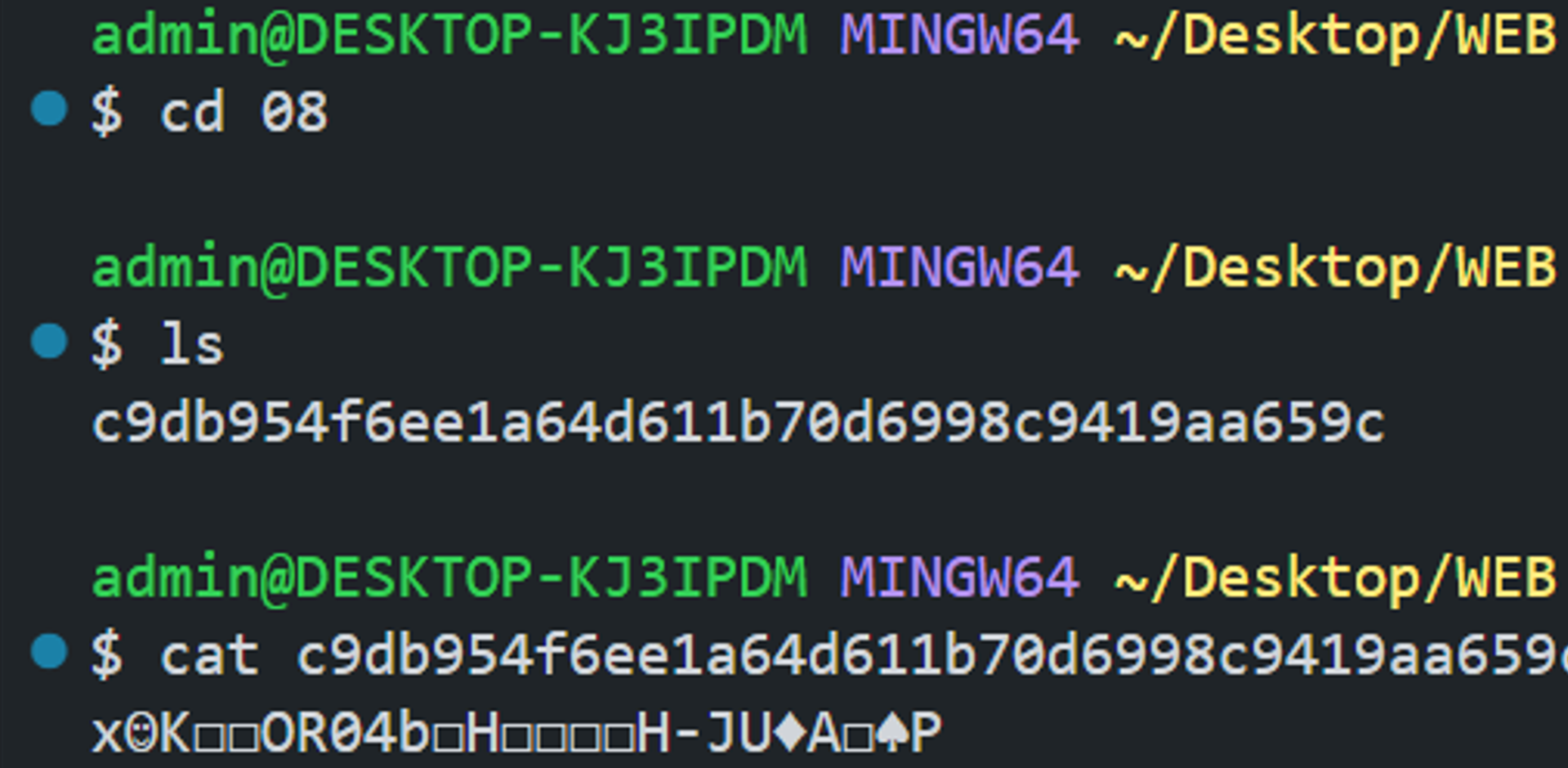 but the file is compressed so in this case, use
git cat-file -p d439a4edae8ac1ff3bf6cc4f78b12b80f8bc87c52. Complete Git Flow
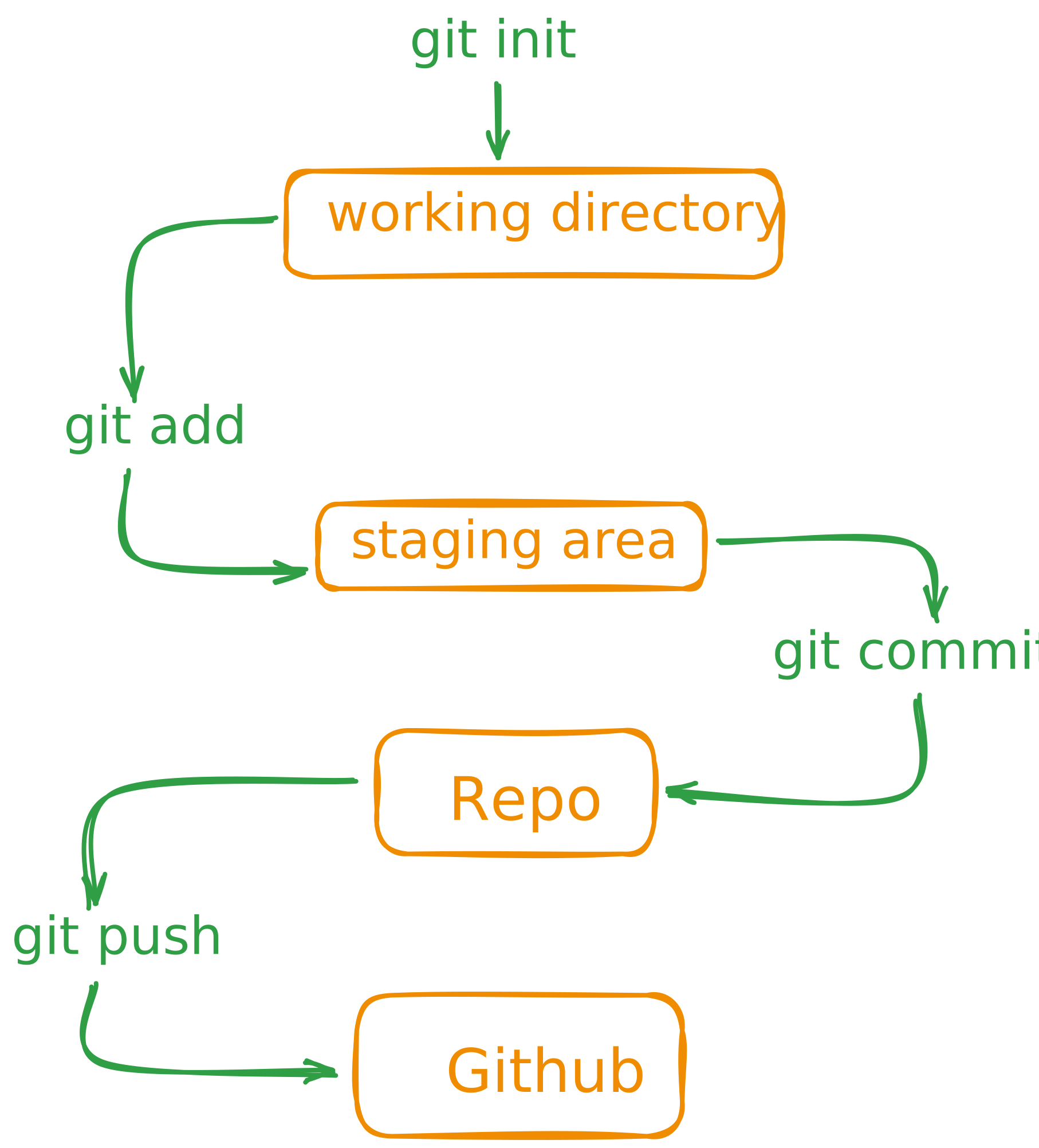
3. Git diff
git diff- The git diff is an informative command that shows the differences between two commits. It is used to compare the changes made in one commit with the changes made in another commit.
- Git consider the changed versions of same file as two different files. Then it gives names to these two files and shows the differences between them.